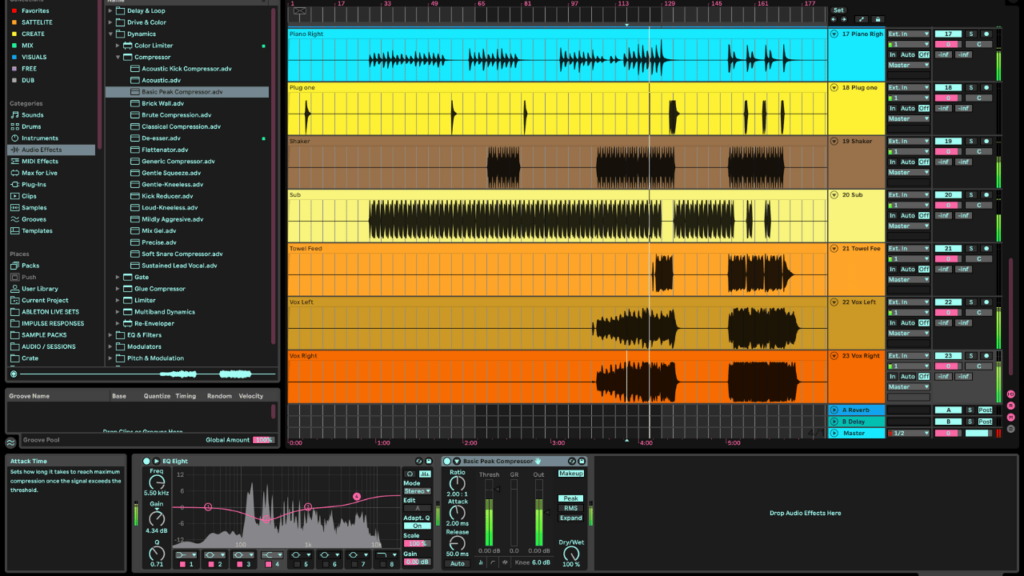
For years, my workflow was defined by the timeline. If you come from a video editing background, Adobe Audition feels like home, it’s logical, it’s surgical, and it fits perfectly into the Creative Cloud. But there’s a trap there. When you’re trying to build “Motivational House Music” tracks designed to shift perspective and fuel development, Audition starts to feel like a cage.
The problem? The Flattening. Audition is a beast for restoration, but it treats music like a finished sculpture rather than living clay. I found my tracks losing their breath, their dynamics squeezed into a 2D plane. That’s why I made the jump.
The Audition “Flattening” Problem (and Why I Left)
If you’re remastering your library right now, you know the feeling. In Audition, you’re often working with destructive edits or a multitrack that lacks the deep MIDI integration needed for modern production. It’s great for a “clean” sound, but for my dream development, we need vibration.
Why Ableton Live changed the game for me:
- Non-Linearity: I can throw ideas into the Session View without committing to a timeline. It’s a sandbox, not a conveyor belt.
- Dynamic Range: Ableton’s routing doesn’t “smush” the signal the way Audition’s limited busing can feel when you’re used to Premiere-style workflows.
- MIDI Power: Rebuilding a track from the ground up requires virtual instruments that breathe. Audition just isn’t built for that level of composition.
Suno: The Spark, Not the Fire
We’re living in 2026; ignoring AI isn’t an option, it’s a collaborator. Tools like Gemini and Suno have become my “AI Inspiration” machine. I use it to generate a “seed”, a vibe, a chord progression, or a vocal texture that matches the mindset I’m targeting.
But here’s the secret: I never keep the AI file as is. Using AI-generated audio is like getting a sketch from a world-class artist. It’s beautiful, but it lacks the human “weight.” My workflow involves taking that Suno export and “deconstructing” it in Ableton.
Recreating the Soul in Ableton:
- Warping: I drag the Suno stem into Ableton and use the Complex Pro warping algorithm to lock the timing without losing the AI’s “happy accidents.”
- Audio-to-MIDI: I use Ableton’s “Convert Harmony to New MIDI Track” feature. This extracts the soul of the AI generation and lets me layer it with high-end VSTs like Serum or Wavetable.
- Remastering the Stems: Since the user’s old tracks felt flat, I use Ableton’s Drum Buss and Glue Compressor to add the grit and punch that was missing in the Audition days.
The 2026 Horizon: Ableton vs. FL Studio
The future of music production is an arms race of AI integration.
| Feature | Ableton Live (Future Focus) | FL Studio (Future Focus) |
| AI Implementation | Focuses on Neural Devices and smart Max for Live tools to assist sound design. | Leading the way in Stem Separation and AI-assisted mastering directly in the box. |
| Workflow | Professional, surgical, and built for Live Performance. | Faster for “sketching” and Beat-making with its legendary Piano Roll. |
| The Verdict | Best for the “Mikey Dream” style of deep, layered development music. | Best for rapid-fire creation and viral-ready loops. |
While FL Studio is winning the “ease of use” battle with its built-in stem splitters, Ableton remains the king of shaping those stems into something legendary. For me, the choice was clear: I don’t just want to make beats; I want to develop a soundscape that evolves with the listener.
What’s Next for your Sound?
If you’re currently in the middle of that massive remastering project, don’t just move the files, rebuild the energy. Ableton isn’t just a DAW; it’s a way to unleash your creative potential.